Introduction
Technical SEO Audit Checklist 2026 – Even the best content and backlinks won’t help if search engines can’t properly crawl, index, or understand your website. Technical SEO forms the foundation that everything else is built on — and small errors here can quietly hold your entire site back.
This checklist walks through the most important technical SEO checks for 2026, helping you identify and fix issues that may be limiting your rankings.
1. Check Crawlability with robots.txt
Your robots.txt file tells search engines which pages they can and cannot crawl.
What to check:
- Ensure important pages aren’t accidentally blocked
- Verify the sitemap URL is referenced
- Avoid blocking CSS/JS files needed for rendering
2. Submit and Review Your XML Sitemap
A sitemap helps search engines discover and prioritize your pages.
What to check:
- Sitemap is submitted in Google Search Console
- All important pages are included
- No broken or redirected URLs in the sitemap
- Sitemap updates automatically when new pages are published
3. Fix Crawl Errors in Google Search Console
Crawl errors prevent search engines from accessing certain pages.
Common errors to check:
- 404 (Page Not Found) errors
- 5xx server errors
- Soft 404s
- Redirect chains and loops
4. Review Indexing Status
Not all pages on your site may be indexed — and that’s not always a bad thing, but it’s worth checking intentionally.
What to check:
- Use “URL Inspection” in Search Console for key pages
- Check for “Crawled – currently not indexed” issues
- Ensure important pages (like service and location pages) are indexed
- Use
noindexappropriately for thin or duplicate pages
5. Site Speed & Core Web Vitals
Page speed directly affects both rankings and user experience.
What to check:
- Largest Contentful Paint (LCP) under 2.5 seconds
- Cumulative Layout Shift (CLS) under 0.1
- Interaction to Next Paint (INP) under 200ms
- Test using PageSpeed Insights or Search Console’s Core Web Vitals report
Common fixes:
- Compress and convert images to WebP
- Minimize JavaScript and CSS
- Enable browser caching and use a CDN
- Remove unused plugins (especially on WordPress sites)
6. Mobile Usability
With mobile-first indexing, Google primarily uses the mobile version of your site for ranking.
What to check:
- No mobile usability errors in Search Console
- Text is readable without zooming
- Buttons and links are appropriately spaced
- No horizontal scrolling issues
7. HTTPS and Security
Security is both a ranking factor and a trust signal.
What to check:
- Site uses HTTPS across all pages
- No mixed content warnings (HTTP resources on HTTPS pages)
- SSL certificate is valid and not expiring soon
8. Duplicate Content & Canonical Tags
Duplicate content can confuse search engines about which version of a page to rank.
What to check:
- Canonical tags are correctly set on all pages
- No duplicate title tags or meta descriptions
- WWW vs non-WWW and HTTP vs HTTPS versions are properly redirected
- Parameter-based URLs don’t create duplicate content issues
9. Structured Data Validation
Structured data (schema markup) helps search engines understand your content and can enable rich results.
What to check:
- Validate schema using Google’s Rich Results Test
- Ensure LocalBusiness, FAQ, Service, and Breadcrumb schema are error-free
- Fix any warnings or errors flagged in Search Console’s “Enhancements” section
10. Internal Linking & Site Architecture
A logical site structure helps search engines understand page relationships and importance.
What to check:
- Important pages are reachable within 2–3 clicks from the homepage
- No orphaned pages (pages with no internal links pointing to them)
- Internal links use descriptive, relevant anchor text
For example, location-based service pages — such as a website development company in Mumbai or website development company in Vesu, Surat — should be linked from relevant blog content and main service pages to strengthen their topical relevance and crawlability.
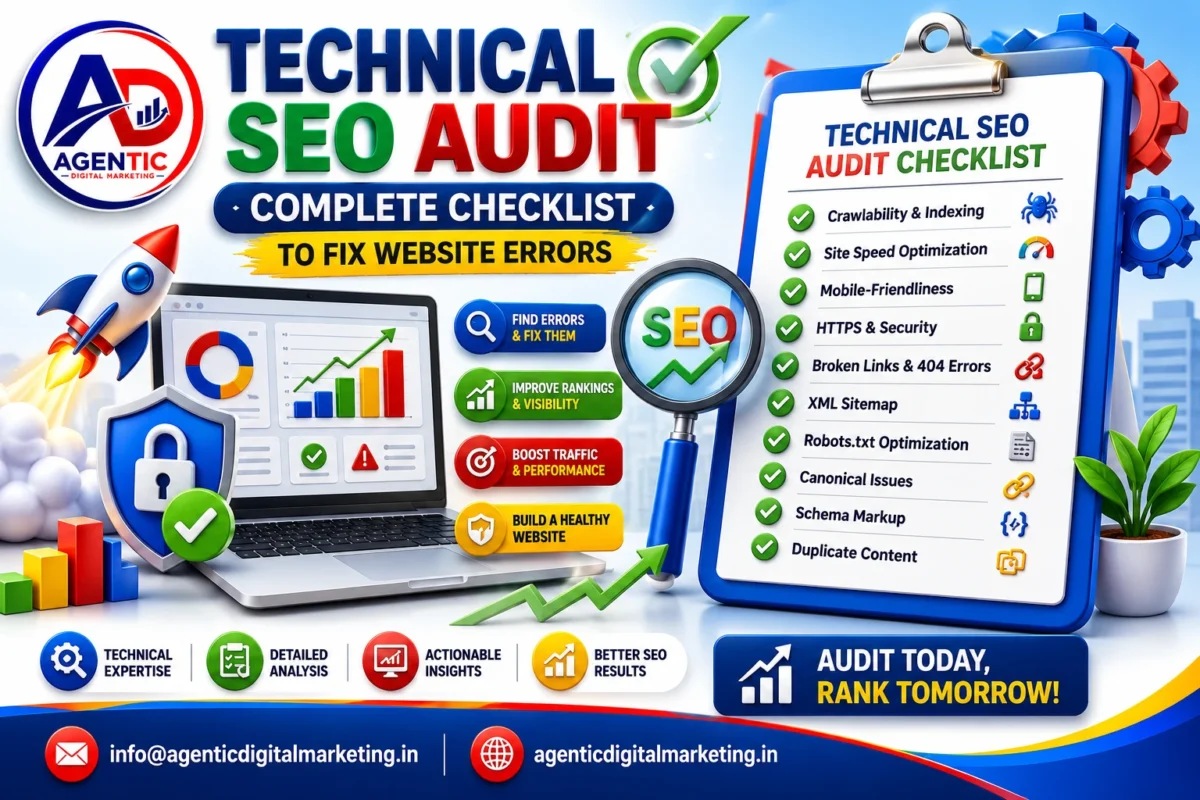
Technical SEO Quick Checklist
- robots.txt configured correctly
- XML sitemap submitted and updated
- No critical crawl errors in Search Console
- Important pages indexed
- Core Web Vitals pass thresholds
- Mobile usability errors resolved
- HTTPS enabled site-wide, no mixed content
- Canonical tags correctly implemented
- Structured data validated, no errors
- Logical internal linking, no orphaned pages
Frequently Asked Questions
Q: How often should I run a technical SEO audit?
A: A full technical audit every 3–6 months is generally sufficient, with ongoing monitoring through Google Search Console in between.
Q: What’s the difference between a 404 and a soft 404?
A: A 404 means the page genuinely doesn’t exist, while a soft 404 occurs when a page returns a “success” status but has little or no content, confusing search engines.
Q: Can technical SEO issues hurt rankings even with great content?
A: Yes. If search engines can’t crawl, render, or index your pages properly, even excellent content may not rank well or appear in search results at all.
Q: What are Core Web Vitals?
A: Core Web Vitals are a set of metrics (LCP, CLS, and INP) that measure loading performance, visual stability, and interactivity, all of which impact rankings.
Q: Do I need to fix every issue found in a technical audit?
A: Prioritize issues based on impact — critical errors affecting indexing or major pages should be fixed first, while minor warnings can be addressed over time.
Final Thoughts
Technical SEO might not be the most visible part of optimization, but it’s often the most impactful. A site that’s fast, crawlable, secure, and well-structured gives every other SEO effort — content, links, on-page optimization — a much better chance of succeeding.
🚀 Ready to Grow Your Business Online?
